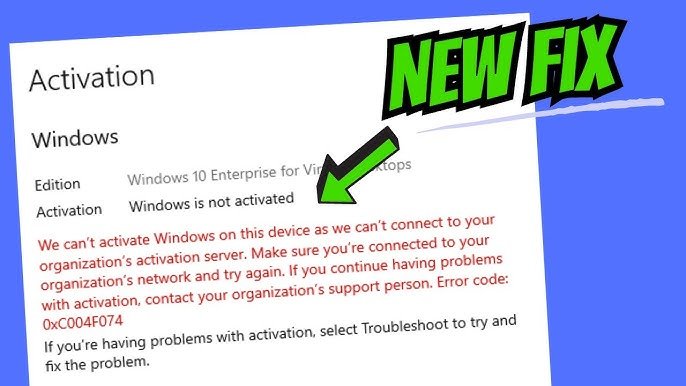
🧩 Fix “Product Key Not Working” Error — Quick Solutions (Users Guide)
If you’re seeing a “Product Key Not Working” or “Invalid Key” message while activating your software, don’t panic.
This issue is common — and in most cases, it’s easy to fix.
Whether you’re in Bahrain, Saudi Arabia, UAE, Qatar, Oman, or Kuwait, this guide will help you solve activation problems for Microsoft Windows, Office, and other digital software License.
At tradebytellc.com, we provide 100% genuine digital Licenses and expert support to make sure your activation works the first time.
⚠️ 1. Check for Typing Mistakes
It might sound simple, but many activation errors happen due to small typing mistakes.
✅ Double-check your key for:
- Zeros (0) and letter O
- Ones (1) and letter I or L
- Extra spaces before or after the key
💡 Tip: Copy and paste the key directly from your email to avoid errors.
🌍 2. Verify Internet Connection
A weak or disconnected network can interrupt the activation process.
Make sure you are connected to a stable internet connection before trying again.
If activation fails, restart your PC and reconnect to the internet — then retry the key.
🔄 3. Match the Product Key with Correct Version
Each product key works only with a specific software version.
For example:
- Windows 11 Pro key won’t activate Windows 10 Home.
- Office 2021 key won’t activate Office 2019.
👉 Always confirm you’re using the right key for your installed version.
If unsure, contact our support — we’ll help verify compatibility instantly.
🔐 4. Check for Regional Restrictions
Some software License are region-specific.
If you purchased your License in the GCC region but installed a different version (like US or EU), activation might fail.
✅ tradebytellc.com provides region-free, globally valid License, so you don’t face this problem again.
🧾 5. Use the Correct Installation Method
For Microsoft products, always use official installers:
After installation, enter your key again — this ensures your activation goes through Microsoft’s official servers.
🧰 6. Contact Support for Activation Assistance
If you’ve checked everything and still face an issue, don’t worry.
At tradebytellc.com, our support team helps GCC customers daily with:
- Key validation
- Remote troubleshooting
- Replacement (if needed)
📩 Contact us anytime — we’ll make sure your product activates successfully.
🌟 Why GCC Customers Trust tradebytellc.com
- ✅ Genuine Microsoft, Adobe, and Autodesk Licenses
- 🌐 Global & GCC compatibility
- 💬 24/7 Arabic & English support
- ⚡ Instant digital delivery
- 💸 Affordable pricing
We proudly serve customers across Bahrain, Saudi Arabia, UAE, Qatar, Oman, and Kuwait with secure and verified digital Licenses.
The “Product Key Not Working” message can be fixed quickly by checking your key, version, and internet connection.
With tradebytellc.com, you’re guaranteed a 100% genuine key and instant activation support anywhere in the GCC.
💻 Buy smart. Stay genuine. Activate with confidence.
👉 Visit www.tradebytellc.com to get your genuine key today.