
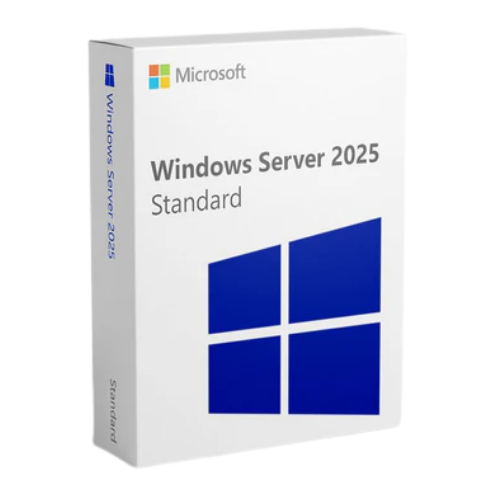

Windows Server 2025 Standard: Complete Guide for Businesses
Windows Server 2025 Standard is Microsoft’s latest server operating system designed for modern enterprise environments. With advanced security, cloud‑ready tools, and flexible licensing, this edition empowers businesses to scale, protect, and manage workloads efficiently.
This guide covers everything you need to know — from features and benefits to deployment guidance — optimized to improve your search engine visibility and provide a complete, user‑friendly resource.
Why Choose Windows Server 2025 Standard?
Windows Server 2025 Standard is built for small to medium‑sized businesses seeking a balanced solution between powerful server capabilities and cost‑effectiveness. It supports critical infrastructure tasks including:
- File and print services
- Application hosting
- Directory services and networking
- Virtual machine (VM) support
- Enhanced security and compliance
Compared to previous versions, Windows Server 2025 Standard introduces new security enhancements, better performance, and improved cloud integration, making it an ideal choice for hybrid IT environments.
Key Features of Windows Server 2025 Standard
1. Enhanced Security and Threat Protection
Security remains a top priority in Windows Server 2025 Standard. It offers:
- Built‑in threat detection and mitigation
- Secure Boot and hardware‑based security
- Improved ransomware resistance
- Robust identity and access controls
These enhancements protect sensitive data and ensure compliance with corporate security policies.
2. Better Cloud Integration
Windows Server 2025 Standard is designed to work seamlessly with Microsoft Azure and hybrid cloud services. Organizations can extend workloads, data backup, and monitoring seamlessly between on‑premises servers and the cloud.
3. Modern Management Tools
Manage your server with enhanced tools like:
- Windows Admin Center
- PowerShell 7+
- Centralized monitoring dashboards
These tools give IT teams a simplified, scalable way to automate tasks and troubleshoot issues.
4. Virtualization Support
Windows Server 2025 Standard supports Hyper‑V for virtualization, enabling businesses to run multiple operating systems on the same hardware. This reduces cost and improves resource utilization.
Windows Server 2025 Standard Licensing Options
Licensing for Windows Server 2025 Standard is based on core‑based licensing and Client Access Licenses (CALs).
Core Licensing
You must license all physical cores on the server. This model provides flexibility and scalability for growing workloads.
Client Access Licenses (CALs)
Each user or device accessing the server requires a CAL. This ensures compliance and proper entitlement for all connections.
Understanding licensing helps businesses plan their IT budget accurately and avoid compliance penalties.
Performance Benefits for Your Infrastructure
Windows Server 2025 Standard delivers strong performance improvements, including:
- Faster I/O operations
- SMB improvements for file services
- Optimized memory handling
- Scalability for higher workload density
These performance gains translate into faster applications, better end‑user experience, and improved operational efficiency.
How to Deploy Windows Server 2025 Standard
System Requirements
Before installing, ensure your hardware meets minimum requirements:
- 64‑bit processor with multi‑core support
- Minimum 16 GB RAM (recommended 32 GB+)
- 80+ GB available disk space
- UEFI firmware with Secure Boot
Installation Steps
- Download the official ISO from Microsoft or authorized reseller.
- Create bootable media (USB/DVD).
- Boot your server and begin installation.
- Follow the setup wizard and select roles (e.g., Active Directory, DNS).
- Activate Windows Server 2025 Standard with a valid license key.
Pro tip: Use Windows Admin Center for post‑installation configuration and monitoring.
Frequently Asked Questions (SEO Keywords Included)
What is Windows Server 2025 Standard?
Windows Server 2025 Standard is the latest server operating system edition designed for businesses, combining security, cloud integration, and virtualization.
How is Windows Server 2025 Standard licensed?
It is licensed based on cores and requires CALs for users or devices.
Can Windows Server 2025 Standard run virtual machines?
Yes, it supports Hyper‑V virtualization for running multiple VMs.
Final Thoughts: Optimize Your IT with Windows Server 2025 Standard
Windows Server 2025 Standard is a powerful, flexible, and secure platform for modern business infrastructure. Whether you’re deploying file servers, running applications, extending to the cloud, or virtualizing workloads, this OS delivers the performance and reliability organizations need.
To maximize server efficiency and protect business data, choosing Windows Server 2025 Standard with proper licensing and management tools is key to future‑proofing your IT environment.

Reviews
There are no reviews yet.